All your bookings in one travel planner
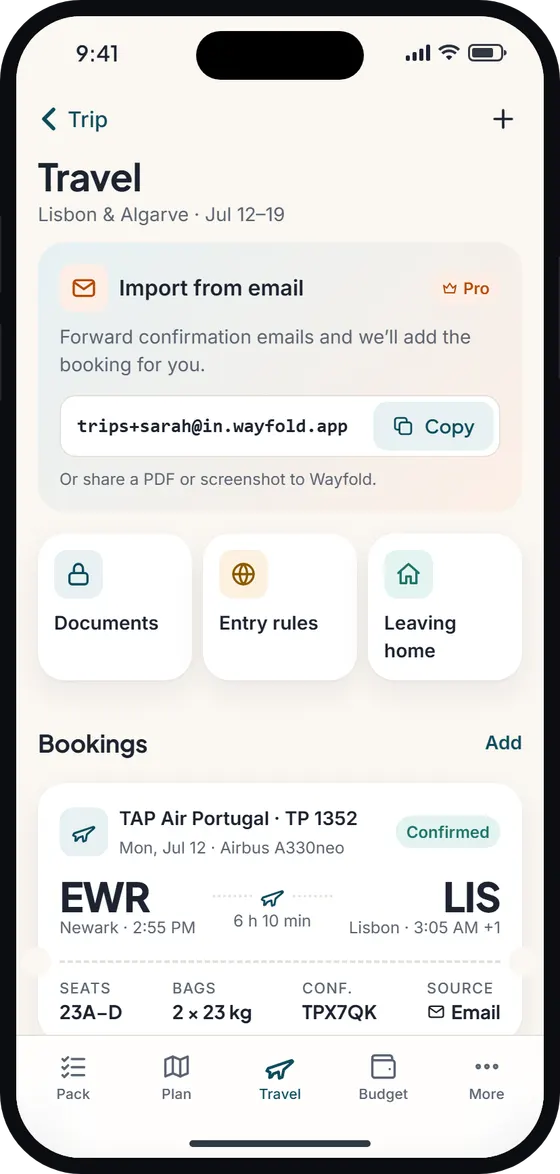
Add flights, trains, buses, ferries, hotels, rental cars (car hire) and event tickets by hand, with times, time zones and confirmation numbers. Each one becomes a ticket-style card on the Travel tab, sorted by date, with the local time zone shown when it differs from home.
Bookings also appear on your itinerary, on the right day and at local time, so your plan for day one starts with “Departs EWR” rather than a guess. On Pro, flight bookings get a live status from the flight tracker.
Booking import (Pro)
Forward a confirmation email to your personal Wayfold address, or share a PDF or screenshot, and Wayfold turns it into a booking for you to review. Business travelers with a run of short trips save the most time here.
A documents vault that works without signal
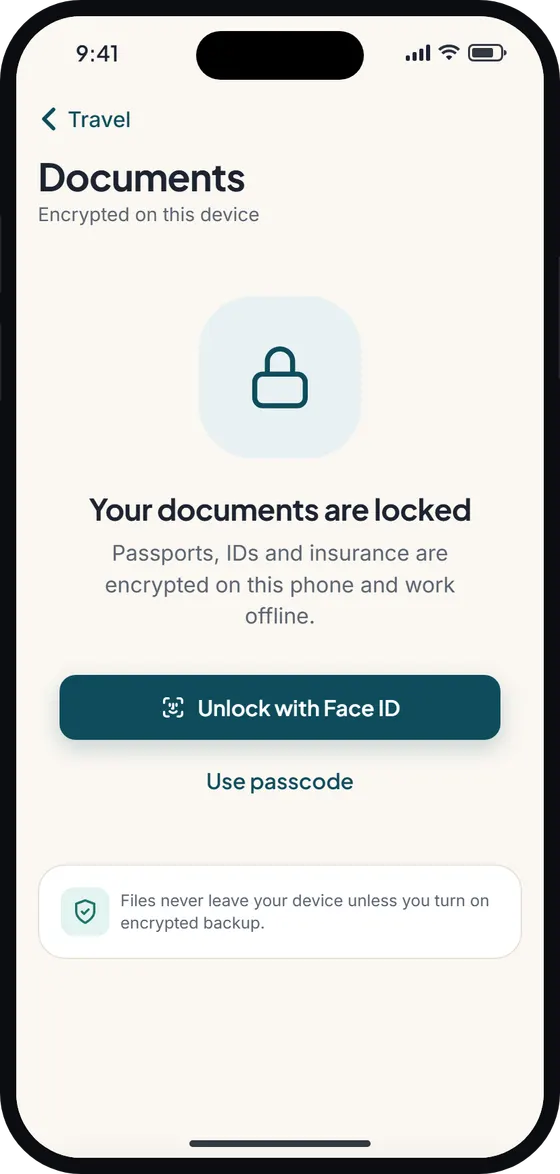
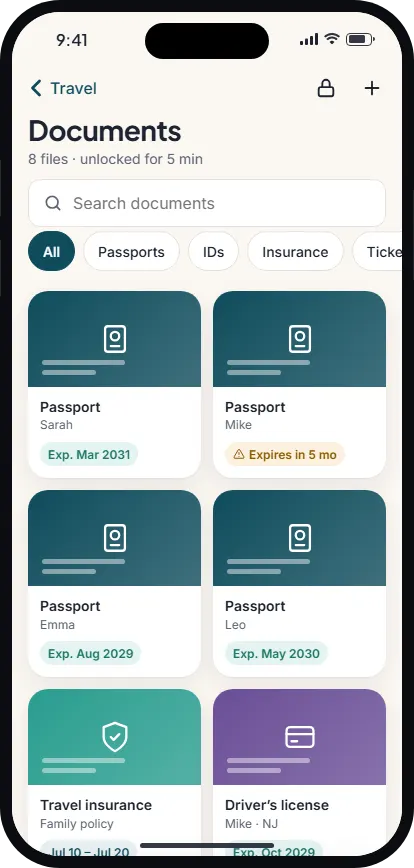
Passports, driver’s licenses (driving licences), insurance and tickets go in the documents vault as photos or PDFs. They’re encrypted on your device, unlocked with Face ID, Touch ID or your fingerprint, and available offline – exactly when you need them at a border desk with no data.
The vault locks itself after 60 seconds in the background, and its contents are blurred in the app switcher. Add expiry dates and Wayfold reminds you before a passport runs out.
Entry requirements, as dated reminders
On Pro, the entry-requirement assistant looks at your nationality and destinations and lists what to check: passport validity rules such as the six-month rule, and travel authorizations like ESTA, the UK ETA, ETIAS, Canada’s eTA or a visa. Every rule is curated, dated and linked to the official government source.
Entry rules are reminders, not legal advice. Rules change, so Wayfold never tells you that you don’t need something. Check the official source before you travel.
For the background, read ESTA, UK ETA and ETIAS explained.
A travel checklist for home
The leaving-home checklist covers the jobs that happen before the airport: hold the mail, arrange a pet sitter, set the thermostat, water the plants, unplug devices, tell the bank you’re traveling. Edit the defaults, add your own, and get a reminder the night before you go. It’s free.
Reminders run on your phone, so they work offline: passport expiry, check-in opening, departure, “start packing” two days before, and your return.
Free vs Pro
- Free: manual bookings, the documents vault, the leaving-home checklist, reminders and bookings on your itinerary.
- Pro: booking import from email, PDF or screenshot; the entry-requirement assistant; the flight tracker; plus unlimited AI and the other Pro extras.
- Offline: bookings, documents, checklists and reminders all work without a connection. Booking import, flight status and weather need internet.
Wayfold is coming soon to iPhone and Android.
Questions about the travel planner
Is Wayfold a free travel planner app?
The core travel planner is free: manual bookings, the documents vault, reminders and the leaving-home checklist. Booking import, entry rules and the flight tracker are part of Pro. See pricing.
Are my passport scans safe in the documents vault?
Documents are encrypted on your device, locked with Face ID or your fingerprint, auto-lock after 60 seconds in the background and are blurred in the app switcher.
Does Wayfold tell me if I need a visa?
It shows dated, curated reminders – passport validity, ESTA, UK ETA, ETIAS, eTA or visa – with links to the official source. It’s not legal advice; always confirm with that source.
Can I see my bookings without internet?
Yes. Bookings and documents are stored on your phone. Only live extras like flight status need a connection.